There is no denying the fact that when it comes to content management systems, there is no match for WordPress, which now powers more than 40% of all websites online. This popularity has also made it a prime target for hackers, who actively scan for vulnerable WordPress installations. If you run a WordPress site, you are under threat regardless of the type of content on your website, and it is entirely possible for your site to get hacked if you don’t take the right precautions.
Learning how to secure your WordPress site should be a top priority for any business owner, just like any other aspect of your online presence. The good news is that most of these security enhancements are not difficult to implement and will only take a few minutes when performed manually.
Choose an Excellent Hosting Company
One of the simplest ways to keep your WordPress site secure is to choose a hosting provider with multiple layers of built in security. A cheap hosting provider might seem tempting since the money saved can be spent elsewhere in your business, but don’t give in to that temptation. It usually leads to nightmares down the road, including your website’s URL redirecting somewhere else or a complete loss of your data.
Paying a bit more for a quality hosting company means the addition of several layers of security to your website, along with the added benefit of speeding up your WordPress site by choosing good WordPress hosting.
There is no shortage of hosting companies out there, but our recommendation is WPEngine. They offer several security features including daily malware scans and access to support 24 hours a day, 7 days a week, all year round, at reasonable prices.
Use a WordPress Security Plug-In
Checking your WordPress website for malware manually takes a lot of time, and you likely won’t realize malware is present in your code unless you stay on top of the latest coding practices. Thankfully, developers have understood that most WordPress site owners are not developers themselves, and they have created powerful WordPress security plug-ins that scan for malware and monitor your website continuously, taking care of your site’s security automatically.
A fantastic WordPress security plug-in is offered by Sucuri.net. This plug-in provides a variety of security services including blacklist monitoring, remote malware scanning, file integrity monitoring, security activity auditing, security notifications, post hack security actions, as well as a full website firewall.
Disallow Editing Of Files
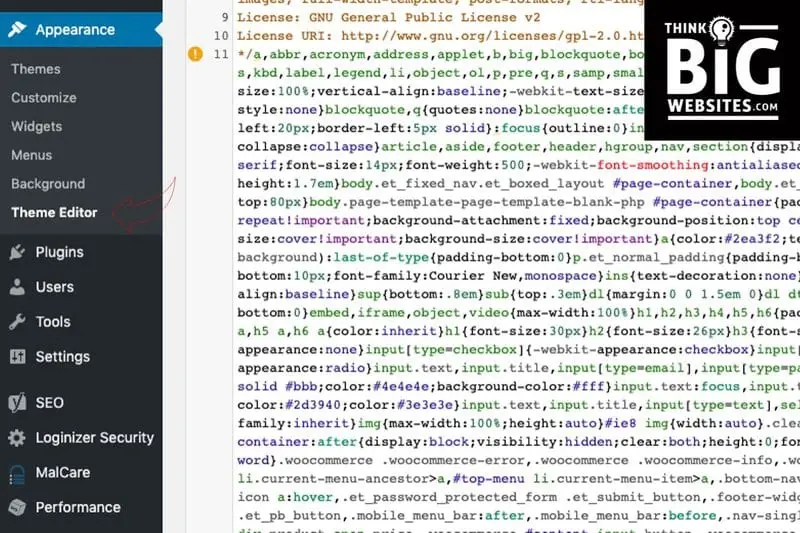
You have probably noticed the code editor function in the WordPress dashboard when setting up your website. This function allows users to edit the code of plug-ins and themes directly, and you can access it by clicking Appearance followed by Theme Editor.
It is recommended to disable this feature once your WordPress website is live. If a hacker gains access to your admin panel, they can inject malware into your theme or plug-in files, and often the code is subtle enough that it goes unnoticed until it’s too late. To disable file editing, simply copy and paste the following code into your wp-config.php file.
define('DISALLOW_FILE_EDIT', true);
Get an SSL Certificate
There was a time when an SSL certificate was needed only for securing sites that process payments. These days, SSL, or Secure Sockets Layer, is considered essential for virtually every type of website. Google has also recognized the importance of SSL, and sites with an SSL certificate are rewarded with a ranking boost in its algorithms.
Any website that processes sensitive information such as credit card details or passwords absolutely needs SSL. Without an SSL certificate, data exchanged between your web server and a visitor’s browser is sent in plain text, which hackers can intercept and read. SSL encrypts this data during transfer, making it far harder for hackers to access, and makes your WordPress site significantly more secure.
SSL certificate prices typically range from $70 to $199 per year for sites accepting sensitive information. If your site doesn’t collect confidential data, you don’t necessarily need to pay for one, since a free SSL certificate from Let’s Encrypt is offered by almost every hosting company and can be installed easily.
Limit the Number of Login Attempts
By default, WordPress allows unlimited login attempts. While this is convenient for users who forget their password, it also leaves your website exposed to brute force attacks. Limiting login attempts temporarily blocks users after a certain number of failed tries, preventing hackers from repeatedly guessing passwords.
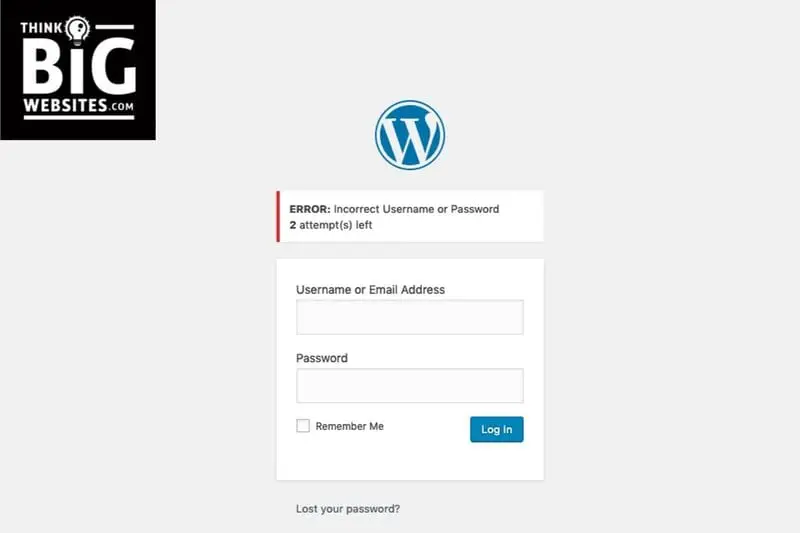
This setting can be enabled easily using the Loginizer plug-in. After installing it, go to Loginizer and then Brute Force Settings to configure the number of allowed login attempts. You can also restrict login attempts manually without using a plug-in if you prefer.
Keep WordPress Updated to the Latest Version
Keeping WordPress up to date is one of the most important habits for maintaining a secure site. Developers regularly release updates that include security patches, and running an outdated version makes your site an easy target for hackers looking to exploit known vulnerabilities. Minor updates download automatically, but major updates need to be installed manually from your admin dashboard, along with regular updates to your plug-ins and themes.
Back Up Your Website Regularly
The best and most straightforward way to keep your website safe in case of a disaster is to back it up regularly. If your site is ever hacked or damaged, a recent backup lets you restore it quickly, giving you time to fix the underlying issue without extended downtime.
Here are a few tips for creating and managing backups the right way:
- Always keep multiple backups. It’s recommended to have at least three recent backups available, since the most recent one might have issues that haven’t been noticed yet.
- Store backups in multiple locations, including physical hard drives as well as cloud storage.
- Set up and stick to a regular, automated backup schedule.
- Create an extra backup before making any major changes to your site, including before implementing any of the security measures covered in this guide.
Conclusion
Security is one of the most essential parts of maintaining a WordPress website, and your site can be hacked easily if you don’t take it seriously. The good news is that it isn’t hard to secure your WordPress site, and you don’t have to spend any money to do it. While some of the steps covered here are more advanced, that’s exactly why our team is always available to help if you have questions. Reach out any time and let us help you keep your WordPress site safe and secure.